Ekklesia Bible
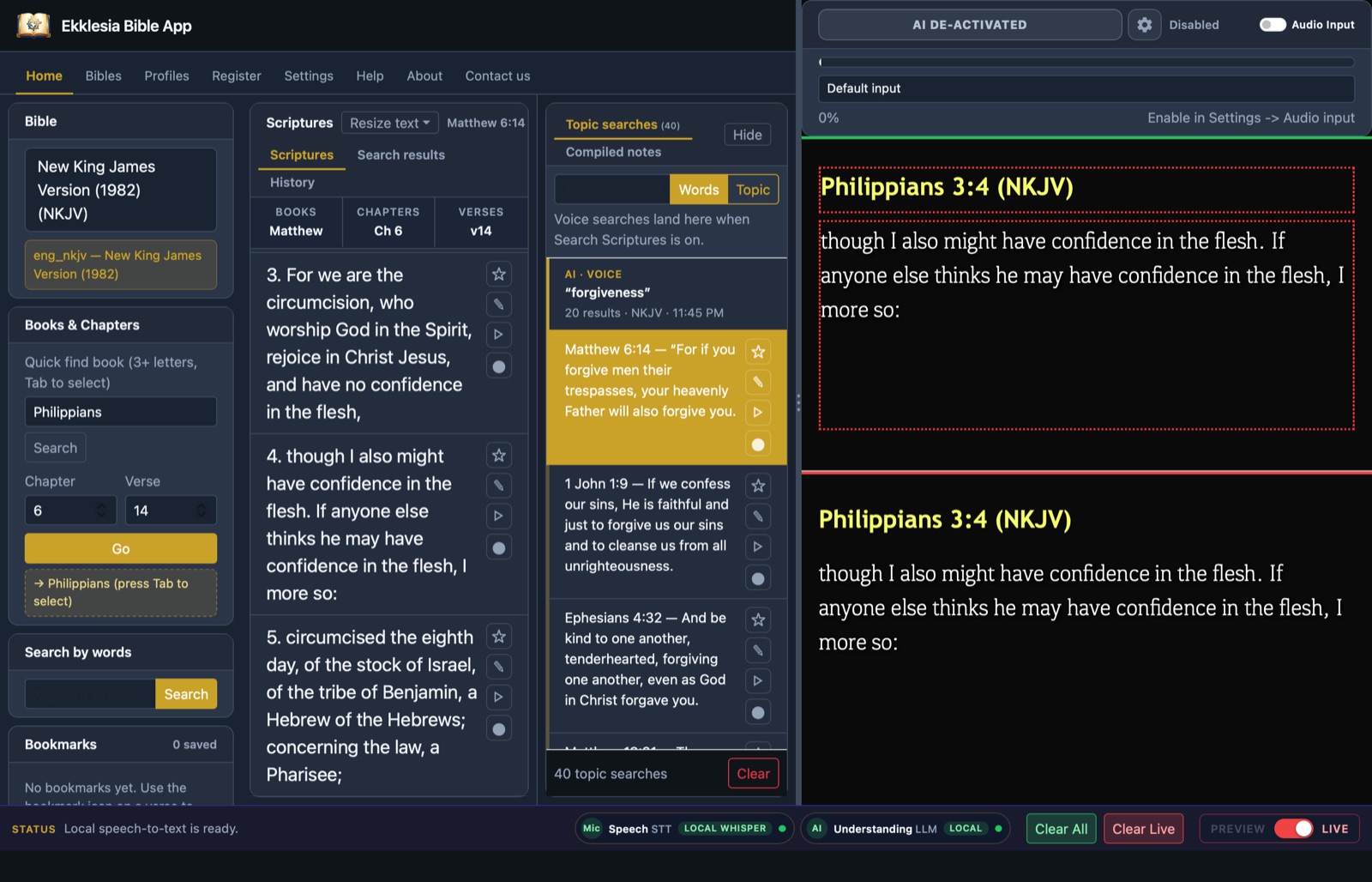
Scripture on screen the moment it is spoken. Ekklesia Bible listens to the preacher, finds the verse and has it ready to show, so your media team never falls behind.
Get Ekklesia Bible
The Mac version is signed and notarised by Apple, so it opens without security warnings.
Requires macOS 13 Ventura or later on a Mac with Apple silicon (M1 or newer). Open the downloaded file and drag Ekklesia Bible into Applications.
Requires 64-bit Windows 10 or 11. Run the downloaded installer. If Windows SmartScreen warns about an unrecognised app, choose More info, then Run anyway. NDI output is not yet available on Windows.
Built for the media desk on a Sunday morning
Everything runs on your Mac, so it keeps working when the church Wi-Fi does not.
Hears the scripture
When the preacher says a reference, the verse appears in Preview, ready to send live with one key. Nothing reaches the screen without the operator.
Works offline
Speech recognition runs on the computer itself, so audio stays in the building and voice keeps working without internet.
NDI and second screen
Send verses to a projector, a TV or your streaming setup over NDI, with transparent backgrounds for lower thirds.
Many Bibles
KJV and NKJV built in, more translations to download from the app, and side-by-side comparison on screen.
Voice topic search
Say a theme such as “forgiveness” and get the key verses on it in seconds.
AI session notes
An optional AI assistant writes notes from the service on your computer, checking each one against what was said.
Start free, upgrade when you need more
Register a product key in the app to use voice. Every plan includes on-device speech recognition.
Free
For trying it out and smaller services.
- Voice scripture detection on your Mac
- A daily speech allowance
- All Bibles, projection and NDI output
Paid
For churches that use it every week.
- Everything in Free, with a larger speech allowance
- Online AI features through Ekklesiasys
Ready before the service starts
Download and install
Open the file and drag Ekklesia Bible into Applications.
Register your key
Paste your product key on the Register tab. The app remembers it, even offline.
Choose your microphone
Pick the sound desk feed in Settings, turn on voice and start the service.